

Cloud CRM Explained: Benefits, Limits, and Selection Criteria
A cloud based CRM is customer relationship management software that runs on the vendor's servers and is used through a browser or app, paid for by subscription. You do not install or maintain anything: the vendor handles hosting, updates, backups and security of the platform, and your team signs in from any device. The trade-offs are dependence on an internet connection and on the vendor, less control over where and how data is stored, and recurring fees instead of one-time costs.
This guide compares cloud and self-hosted CRM in plain terms, covers the topics people argue about in 2026 (outages, data portability, AI, privacy), and ends with selection criteria you can use on any CRM online.

Cloud vs. self-hosted CRM: the basic difference
There are two main ways to run CRM software:
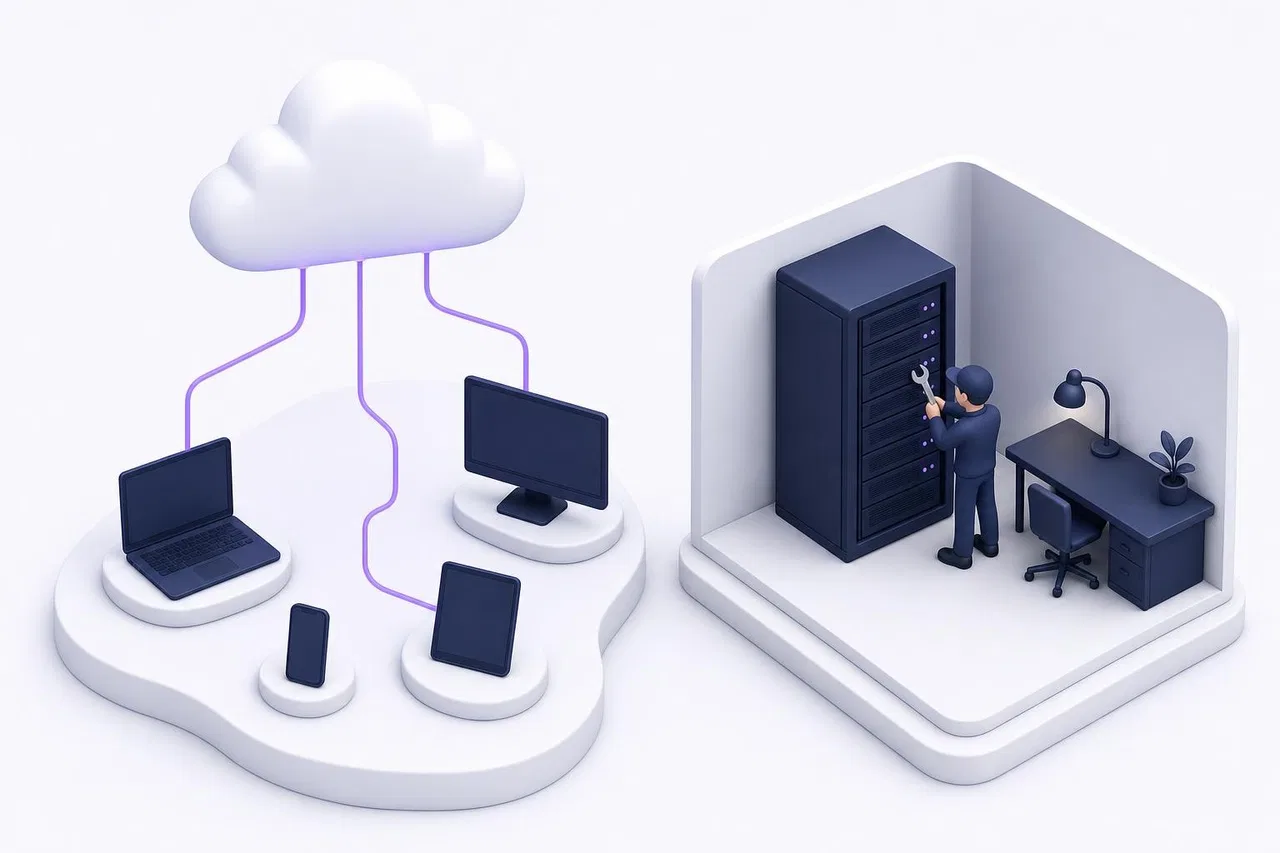
Cloud (SaaS) CRM. The vendor runs one service for many customers. You get an account, invite your team and start working. Updates arrive automatically. You pay per user, per month or year, sometimes plus usage.
Self-hosted (on-premise) CRM. You install the software on your own server or a cloud server you rent. You control the version, the data location and the configuration. You also handle installation, updates, backups, security patches and uptime. Most self-hosted CRMs are open source; some commercial products offer a self-hosted license.
There is also a middle ground: managed hosting of an open-source CRM by the vendor or a hosting partner, where you get a dedicated instance without running it yourself.
Aspect | Cloud based CRM | Self-hosted CRM |
|---|---|---|
Setup time | Minutes to hours | Days, plus server setup |
Who updates | Vendor, automatically | You, when you choose |
Access | Browser and apps, anywhere | Depends on how you expose the server |
Data location | Vendor's data centers (region may be selectable) | Wherever you host it |
Customization | Within the product's settings and API | Full, including code, if the license allows |
Security of the platform | Vendor's responsibility | Yours |
Security of accounts and permissions | Shared: vendor provides tools, you configure them | Yours |
Uptime | Vendor's infrastructure and status page | Your server and your monitoring |
Cost structure | Recurring subscription | Hosting plus admin time; license may be free |
Exit | Depends on the vendor's export | You already have the database |
Benefits of cloud CRM
Access from any device
Sales reps on the road, support agents at home, the owner on a phone between meetings: everyone works on the same records in real time. There is no VPN to configure and no "the file is locked by another user".
No maintenance
No servers to patch, no backups to schedule, no database upgrades. For a small business without an IT person, this is usually the deciding factor.
Fast start
Most cloud CRM software offers templates for common pipelines. A small team can import contacts and start working on day one.
Continuous updates
New features, security fixes and integrations arrive without a project. AI features in particular are almost always delivered through the cloud, because they depend on large models the vendor runs or contracts.
Predictable entry cost
No hardware purchase, no license fee upfront. You start with a few users and add seats as you grow.
Limits of cloud CRM
Dependence on the internet and on the vendor
No connection, no CRM, unless the product has an offline mode. And when the vendor's infrastructure fails, you wait. The outage that hit Amazon Web Services' N. Virginia (US-EAST-1) region from late October 19 to the afternoon of October 20, 2025 (Pacific time) is a reminder: AWS's own post-event summary traces it to a race condition in DynamoDB's automated DNS management, and many online services built on that region were disrupted. Your CRM vendor may not use AWS, but every cloud service depends on some infrastructure. Ask how the vendor handles incidents and where it publishes status.
Updates you did not ask for
Automatic updates also mean interface changes on a Monday morning, renamed menus, or a feature moved to a higher tier. Good vendors announce changes in advance; check the vendor's changelog.
Less control over data location
You can choose a vendor with data centers in your region, but you cannot pick the server. For regulated industries or specific contracts, check the vendor's data processing agreement, subprocessor list and hosting regions.
Customization within limits
You configure; you do not modify code. If your process needs logic the product does not support, you build around it with the API and webhooks.
Recurring cost
Subscriptions continue as long as you use the service, and renewal prices can rise. Over five years, a large team may pay more than for a self-hosted setup, but only if you count self-hosting's admin time honestly. Our guide to CRM software cost has a template.
The 2026 debates around CRM SaaS
Data portability and switching
Many businesses worry less about whether the cloud is secure and more about whether they can leave. In the EU, the Data Act applies from September 12, 2025 and includes rules meant to make switching between data processing services easier. Whatever your jurisdiction, test the export before you commit: all records, history and attachments, in an open format, without a support ticket.
AI and your data
AI assistants in cloud CRMs read your records to answer customers or summarize deals. Ask what data the AI uses, whether your data trains shared models, how the AI's actions are logged, and how it hands over to a person. In the EU, the AI Act adds transparency duties for AI systems that interact with people; timelines were revised in 2026, so check the current schedule.
Privacy and access control
Cloud makes access easy, which makes permission design important. Who can export all contacts? Who sees purchase prices? What happens when an employee leaves? A cloud based CRM should let you hide fields per role and remove a person's access in one place.
Usage-based charges
Cloud vendors increasingly charge for AI conversations, actions or tokens on top of seats. That links cost to usage, which is fair, but harder to forecast.
When self-hosted CRM makes sense
Self-hosting is a good fit when:
you have an in-house developer or admin who can own the server, updates and backups;
you need data in a specific location or network that no cloud vendor offers;
you need deep customization of the code, and the license allows it;
your team is large enough that subscription fees exceed hosting plus admin costs.
If none of these apply, a cloud based CRM is almost always the cheaper and safer choice for a small or mid-size business. We compare free and open-source options in detail in Free vs. open source CRM.

How to move to a cloud CRM safely
Moving from spreadsheets or a self-hosted system to a cloud based CRM is mostly a data project. These steps keep it predictable:
Inventory what you have. List every place customer data lives today: spreadsheets, an old CRM database, email folders, a messenger account. Decide which of them the new CRM replaces and which stay.
Export and clean. Export to CSV, merge duplicate contacts, normalize phone numbers and dates, and remove records nobody has touched in years (archive them in a file instead).
Map fields before import. Write down which column becomes which field in the new system. Pay special attention to links between records, such as which contacts belong to which company, because many CSV imports handle them separately.
Import a test batch. Load 100 rows, check them in the interface, fix the mapping, then import the rest.
Run both systems for a short overlap. One or two weeks where new work goes into the cloud CRM and the old system is read-only. Then switch the old one off.
Set up access properly. Invite people with the roles they need, turn on two-factor sign-in where the product supports it, and remove shared logins.
Schedule a regular export. A monthly CSV export or an API backup gives you a copy you control, whatever happens to the vendor.
If you are coming from a self-hosted CRM, keep the old database backup for as long as your retention rules require, even after the switch.
Selection criteria for cloud CRM software
Use this checklist when evaluating any CRM online. It complements the broader process in How to choose CRM software.
Criterion | What to check |
|---|---|
Access | Browser support, desktop and mobile apps, behavior on a slow connection |
Sign-in security | Two-factor authentication, session management, single sign-on if you need it |
Permissions | Roles, field-level hiding, view-only access, quick removal of a departing user |
Data location | Hosting regions, data processing agreement, subprocessor list |
Export | Full export in an open format at any time; API access to all records |
Import | CSV limits, encoding support, deduplication and update-by-key |
Uptime and incidents | Status page, incident history, how you are notified |
Updates | Changelog, advance notice for breaking changes |
Integrations | Native connections, API, webhooks |
AI | What data it reads, what it can change, logs, human handoff, billing |
Pricing | Per-seat and usage charges, free viewers, minimums, renewal terms |
How Sensever works as a cloud CRM
Sensever is a hosted cloud service at sensever.com: you sign in with a Sensever account, and there is nothing to install or maintain.
Access. Flow, Sensever's section for tasks and deals, opens at sensever.com/flow under your Sensever account, with no separate sign-in. Sensever also has desktop apps for Mac and Windows. The interface is available in English and 21 other languages.
A CRM structure from a template. The CRM workspace template creates Companies, Contacts, Deals, Activities and onboarding Projects, a deal pipeline, reminders before expected close dates and a shared Sales dashboard. Customer conversations from your website widget, Telegram, WhatsApp (Cloud API), Instagram Direct and MAX arrive in Requests, where your team replies from one place (Project messaging channels).
Permissions. Flow roles define what each member can see and change, down to object types and individual fields; for example, you can hide a supplier price from one department. A disabled member can no longer sign in to the workspace; disabling is done through the Flow API (Flow: members, roles, teams and billing).
Getting data in and out. CSV import (up to 100,000 rows and 10 MB per file, with automatic detection of UTF-8, UTF-16 and Windows-1251) and CSV export of any view, limited to 100,000 rows per file (Flow: CSV import and export). The Flow API and webhooks give programmatic access (Flow API: basics).
Pricing. Flow is free for one person; the owner pays $5 per month for each additional member who can change data, and viewers are free. Requests costs $9 per month for each additional project member answering customers. AI is $19 per million tokens, with a $5 minimum per project in months when AI is on. The first 5 GB of storage are free. See sensever.com for current prices.
FAQ
What is a cloud based CRM?
CRM software hosted by the vendor and used through a browser or app, paid by subscription. The vendor runs the servers, updates and backups; you manage users, data and settings.
Is cloud CRM secure?
Large cloud vendors usually secure their platforms better than a small business could on its own server. Most incidents come from accounts and permissions, so use two-factor sign-in, give people only the access they need, and remove departing users promptly.
What is the difference between SaaS CRM and cloud CRM?
In everyday use they mean the same thing: a CRM delivered as a service over the internet. "Cloud" sometimes also covers a self-hosted CRM you run on rented cloud servers, which is not SaaS.
Can I use a cloud CRM offline?
Some products have limited offline modes in their mobile apps; most need a connection. If your team works where connectivity is poor, test this during the trial.
How do I move my data out of a cloud CRM?
Use the built-in export (usually CSV) or the API. Test a full export during your trial and check that history and links between records survive.
Is self-hosted CRM cheaper than cloud CRM?
The license can be free, but servers, backups, updates and admin time are not. For most small teams cloud is cheaper; self-hosting can pay off for larger teams with in-house technical staff.
Conclusion
A cloud based CRM trades control for convenience: no servers, instant access from anywhere and continuous updates, in exchange for dependence on the vendor and the network. For most small and mid-size businesses that trade is worth it, provided you check three things before you sign: you can export everything, permissions are fine-grained, and pricing stays predictable as you grow. For the fundamentals, see What is CRM.

Şərhlər