

AI Assistants for Business: Tasks, Knowledge, and Control
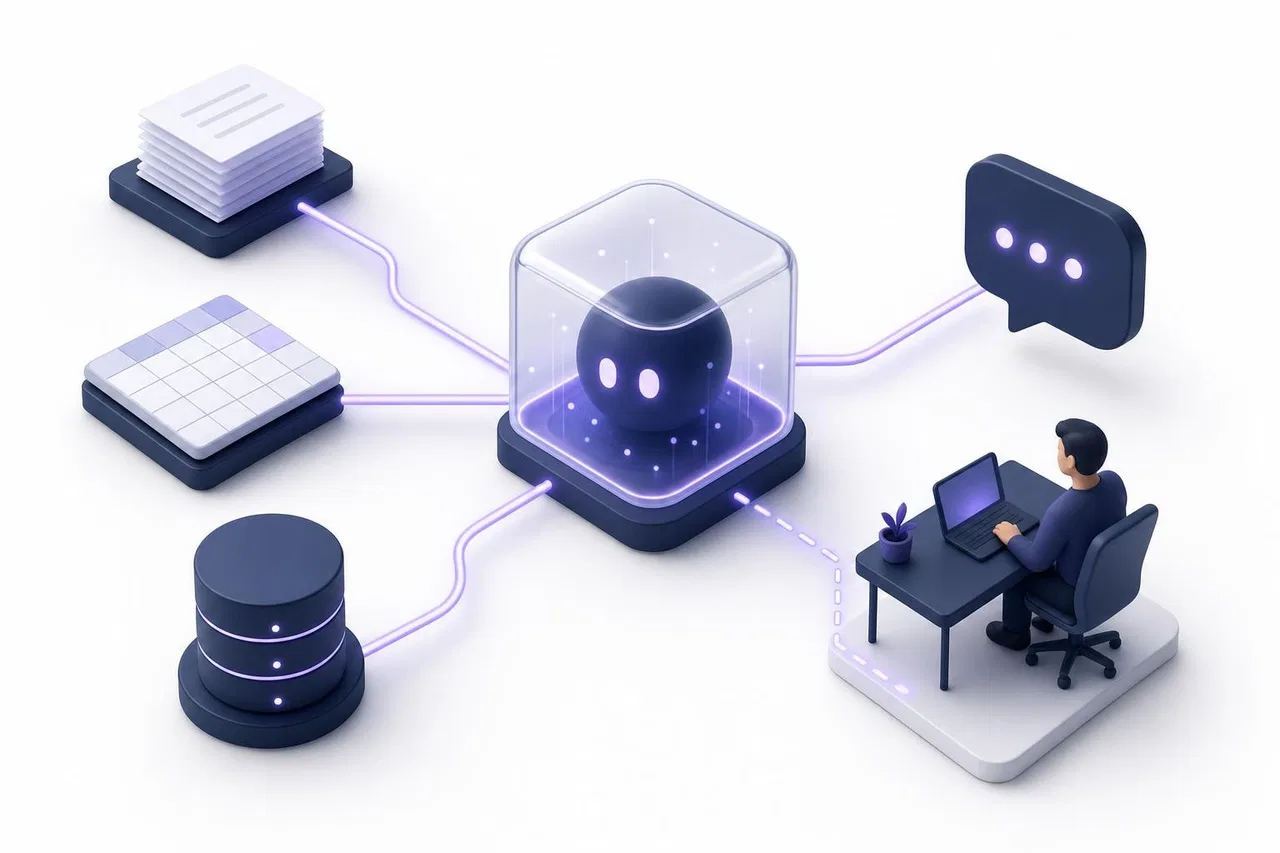
An AI assistant for business is a language model that works with your company's own materials, rules and systems. It answers customers or staff, drafts text and looks up data in a defined scope, and hands the conversation to a person when it reaches its limits. How well it works depends on three things you control: the tasks you give it, the knowledge it reads, and the permissions and handoff rules around it. The model behind it matters less.
This guide covers each of those three parts and how to choose tasks for a first pilot. It also shows how to check whether the assistant actually helps. It is written for owners and team leads at small and mid-size businesses, not for people looking for a personal or home assistant.

What an AI business assistant is, and what it is not
The word "assistant" covers very different products in 2026, so it helps to name what you are actually buying or building.
A consumer chat assistant (a general chatbot app) knows the public internet and whatever an employee pastes into it. It has no idea about your prices, your return policy or your customer's order.
A scripted chatbot follows buttons and decision trees. It is predictable, but it breaks as soon as a question doesn't fit the script.
An AI business assistant (also called an AI virtual assistant or conversational AI assistant) reads your materials at the moment a question arrives. It answers in natural language within rules you set, and it can call your systems to read live data.
An AI agent goes further: it plans multi-step work and takes actions, such as changing an order or issuing a refund.
The line between the last two is blurry, and vendors exploit that. In June 2025 Gartner predicted that over 40% of agentic AI projects would be canceled by the end of 2027 because of rising costs, unclear business value or weak risk controls. It also warned about "agent washing": existing assistants, RPA tools and chatbots relabeled as agents (Silicon UK coverage of the Gartner forecast, 2025). For most small teams, the practical takeaway is simple. Start with an assistant that answers and looks things up. Add actions only when the reading side is reliable and you know exactly which actions you want to allow.
Part 1: Tasks — what the assistant should do
An assistant that "helps with everything" is impossible to test. Write down concrete tasks instead, each with a clear input, a clear source of truth and a clear owner.
Task type | Example | What it needs | Risk if wrong |
|---|---|---|---|
Answer repeat customer questions | Opening hours, delivery terms, how to return an item | Up-to-date articles or an FAQ | Low to medium: a wrong policy answer can become a promise |
Product and price lookup | "Which model is in stock under $500?" | A structured catalog or price list | Medium: wrong prices and stock frustrate buyers |
Case-specific answers | "Where is my order 104233?" | A read-only connection to your order system | Medium: needs identity checks and correct data |
Drafting text for staff | A reply, a summary, a product description | Examples, tone rules, a reviewer | Low, because a person reviews before sending |
Internal knowledge search | "What is our refund limit for B2B clients?" | Internal documents with access control | Medium: private data must not leak to the wrong person |
Actions in systems | Cancel a booking, issue a refund | Write access, approval rules, audit log | High: mistakes change real data and money |
The table also shows a sensible order. Tasks at the top need only good content. Tasks in the middle need structured data and a read-only connection. Tasks at the bottom need write access, approvals and audit trails, which is where most of the cost and risk sits.
Tasks that make a good first pilot
Pick one or two tasks that score well on most of these criteria:
Volume. The question type arrives every day, so you get enough conversations to judge quality within a few weeks.
Repetition. The correct answer is the same or nearly the same for most people who ask.
A written source exists, or can be written in a day: a delivery page, a price list, a setup guide.
Low cost of error. A wrong answer is annoying but not dangerous, and a person can correct it in the same conversation.
Easy to measure. You can tell from the transcript whether the answer was right.
Reversible. You can switch the assistant off for that channel or topic without breaking anything.
Typical winners are pre-sales questions on a website ("do you ship to…", "what's the difference between…"), first-line support for a product with a good help center, and order-status questions once a read-only connection exists. Typical poor first choices are complaints, refunds, legal or medical questions, and anything where the "right" answer depends on judgment.
Part 2: Knowledge — what the assistant reads
Modern business assistants don't need to be "trained" on your data in the machine-learning sense. Most use retrieval: when a question arrives, the system searches your materials, passes the relevant fragments to the model and asks it to answer from them. The consequence is direct. The assistant is only as good as the material it finds.
What usually goes into the knowledge base:
Policies and terms: delivery, returns, warranties, payment methods, service areas.
Product information: descriptions, specifications, compatibility, sizes.
Price lists and stock: best kept as a table with clear column names, not as a paragraph of text.
How-to guides: setup steps, troubleshooting, account questions.
An FAQ written from real questions, in the customer's words.
Three habits make the biggest difference. Use clear headings, because retrieval often works section by section. Keep one source per fact, so the assistant doesn't find two different return windows. And assign an owner to every document who updates it when the policy changes. A detailed walkthrough is in our guide on how to prepare a knowledge base for an AI website assistant.
Answering rules
Besides facts, the assistant needs rules for how to answer. Write them down as plainly as you would for a new hire:
What it answers, and what it always passes to a person (complaints, refunds, legal threats, anything personal).
What to do when the materials don't contain the answer: say so and hand off, never guess.
Tone and length: for example, two or three short sentences, in the customer's language.
What it must never do: promise discounts, confirm stock it can't see, give medical or legal advice.
Connections to live data
Static documents answer general questions. A customer asking about their order, booking or balance needs live data. That means a connection to your system's API. Start with read-only connections, limit which fields the model receives, and keep secrets such as API keys away from the model itself. Write actions come later, if at all.
Part 3: Control — permissions, handoff and oversight
Control is what separates a business tool from a toy. It answers four questions.
Who can see what
An assistant that serves both customers and employees must not read a private document out to a customer. Good systems check permissions at answer time. The assistant can use only content that both it and the person asking are allowed to see. In a group conversation, the limit is what everyone present is allowed to see. Ask any vendor how this works. "We filter the prompt" is not an answer.
When a person takes over
A clean handoff is the most important safety feature. Define the triggers: the assistant can't find an answer, the customer asks for a person, the topic is on your "always human" list, or the message is something it can't read, such as a photo. When a person takes the conversation, the assistant should stop answering in it, and the full history should stay in place so the customer doesn't have to repeat anything. Our guide on combining AI chatbots and live chat goes deeper into handoff design.
What data goes to the model
Find out exactly what is sent to the language model with each question: only the found fragments, or whole files? Is the customer's contact data included? Where are documents indexed? This matters for privacy and for your data processing agreements. It also matters because of shadow AI: employees already paste company data into unapproved tools. A Cybernews survey of more than 1,000 U.S. employees found that 59% use AI tools their company hasn't approved. Three-quarters of those admitted sharing potentially sensitive information, such as customer data and internal documents (Journal of Accountancy, November 2025). A sanctioned assistant with clear data rules is often safer than a ban nobody follows.
Transparency and regulation
If you serve customers in the EU, the AI Act's transparency rules apply: people must be told when they are talking to an AI system, unless it is obvious from context. The Digital Omnibus on AI (Regulation (EU) 2026/1744) postponed several high-risk obligations to December 2027 and August 2028, but it left the Article 50 transparency duties in place from August 2, 2026 (Legalithm, July 2026). In practice: give the assistant a clear bot name, label its messages, and don't present it as a human employee. This is a summary, not legal advice. Check your own obligations with counsel.
Avoiding "workslop"
Control also applies inside the team. A September 2025 Harvard Business Review piece by researchers from BetterUp Labs and the Stanford Social Media Lab coined the term "workslop": AI-generated work that looks polished but doesn't move the task forward (HBR, 2025). Drafts from an assistant need an owner who reviews them before they reach a customer or a colleague. The assistant prepares; a person decides.
How to check whether the assistant works
Don't judge an assistant by a demo. Judge it by your own questions and your own transcripts.
Build a test set before launch
Collect 30–50 real questions from your inbox, email and chat history. Include the easy ones, the ambiguous ones and a few that the assistant must not answer. For each, write the expected answer and its source. Run the set before launch and again after every significant change to the materials.
Metrics worth tracking
Metric | What it tells you | How to measure |
|---|---|---|
Answer accuracy | Is the answer correct and based on your source? | Weekly review of a sample of transcripts |
Correct refusals | Does it hand off instead of guessing when the source is missing? | Test-set questions without an answer in the materials |
Handoff rate | How often a person has to step in | Share of conversations taken over by the team |
Time to first response | Do customers get answers faster? | Compare with the period before the pilot |
Repeat contacts | Did the answer actually solve the issue? | Customers writing again on the same topic within a few days |
Cost per conversation | Is it cheaper than the alternative? | Model usage cost divided by conversations handled |
Accuracy and correct refusals come first. A fast assistant that confidently gives the wrong return window is worse than no assistant. The pressure to show results is real: in Microsoft's 2025 Work Trend Index, a survey of 31,000 employees and leaders in 31 markets, 53% of leaders said productivity must increase. Yet 80% of employees and leaders said they lack the time or energy to do their work (Microsoft, 2025). An assistant only relieves that pressure if it produces answers people don't have to redo, and measurement is how you find out.

A step-by-step plan for your first AI assistant
Pick one channel and one or two tasks using the pilot criteria above. A website chat for pre-sales questions is a common start.
Write or clean up the source material for those tasks. Put one fact in one place, use clear headings, and turn price lists into tables.
Write the answering rules: scope, handoff triggers, tone, forbidden topics.
Set permissions: which materials are public, which are internal, and who on the team can change the assistant.
Build the test set of 30–50 real questions and run it in a test mode that doesn't send anything to customers.
Fix the materials, not the prompt, when answers are wrong. Most errors trace back to missing or contradictory content.
Launch in one channel with the team watching. Agents should be able to read along and take over at any moment.
Review weekly for the first month: accuracy, handoffs, repeat contacts, cost. Expand to new tasks or channels only when the first ones are stable.
For a fuller operational plan with timelines and success criteria, see how to introduce AI customer support: a practical pilot plan.
How Sensever helps
Sensever has a built-in AI assistant for projects: the business setup where your website widget, contact page and connected messengers bring customer requests into one queue, called Requests. Here is what it does today, and what it doesn't.
Tasks it covers. The project assistant answers new customer text messages in Requests. They can come from the website widget, the contact page, WhatsApp, Telegram, Instagram or MAX. A project doesn't need a website: a business that only talks to customers in messengers can turn the assistant on there. Setup is in Projects → your project → Assistant. It is described in Project AI assistant: setup, knowledge and hand-over to your team.
Knowledge. You give the assistant three kinds of sources:
Knowledge base channels: articles you write in Studio and publish in your channel. The project bot joins a selected channel as a read-only member, and the articles become its knowledge. It searches them by words and by meaning and quotes only the sections it read, so clear headings help.
Files and tables: PDF, DOCX, TXT, MD and HTML documents up to 25 MB, and XLSX or CSV tables up to 20 MB, with up to 100 files per project. Tables are queried like a small database: you set column types, and the assistant can filter, sort and sum. For example, it can find the cheapest model in stock or total an order with a volume discount.
Data connectors: read-only calls to your own API for live data such as an order status, a booking or a balance. The model never sees your key, only public HTTPS addresses are allowed, and connectors can't create, change or delete anything in your system. Details: Data connectors: the assistant reads live data from your API.
There is no training step. The assistant looks up your materials for every question, so an updated article or file is used in the next answer.
Control.
Test chat. You can ask questions the way a customer would before turning the assistant on. Under each answer you see the sources used (file, section, pages or table rows), the searches and connector calls, whether the conversation would go to an operator, and the exact text the customer would see.
Handoff. The assistant answers only from your materials. When it finds nothing, it tells the customer it is passing the question to an operator, and the request goes to the team as unanswered. Customers can also simply ask for a person.
Pause when an agent takes over. When an agent takes a request, the assistant pauses in it. The ⏸ / ▶ AI button in the request header can bring it back while the request stays with the agent.
Per-channel switch. "AI answers in this channel" lets you keep the assistant on the website while people handle WhatsApp, for example (Channel access).
Who can configure it. Only the project's owner and admins can change the assistant, its knowledge and its connectors.
Data. Answers are written by an xAI (Grok) language model. For each answer, the model receives the instructions, the customer's current message with the last four text messages of the request, and the fragments found for this question. It doesn't receive your files themselves, the customer's contact details or visit history, or your API keys. Document text extraction and meaning search run on Sensever's own servers. The full list is in AI chat for your website.
Phone calls. The same project assistant can also answer calls through a SIP extension on your own PBX or cloud phone system. This is described in Phone calls with your project AI assistant.
Prices (from sensever.com):
The project owner is free.
Each additional project member who answers customers is $9 per month.
AI usage is $19 per 1 million tokens, input and output. The landing page estimates roughly 2,000 assistant replies per million tokens. A $5 minimum per project applies in months when the AI is used.
AI phone conversations are $0.50 per minute.
The first 5 GB of storage are free, and knowledge files count toward the owner's storage.
What it doesn't do. The assistant doesn't take actions in your systems. Connectors only read. It doesn't read photos or files customers attach; those go to your team. It can't read scans without a text layer. It is a customer-facing assistant inside Requests, not a general-purpose copilot for every employee task.

FAQ
What is the difference between an AI assistant and an AI agent?
An assistant answers questions and drafts text within a defined scope, usually reading your materials and data. An agent also plans steps and takes actions in systems, such as changing an order. Agents need write permissions, approval rules and audit logs, which is why most small businesses start with an assistant.
Do I need to train an AI assistant on my company data?
Usually not. Most business assistants use retrieval: they search your documents when a question arrives and answer from what they find. You improve them by improving the documents, not by retraining a model.
Which tasks should an AI assistant for business handle first?
Frequent, repetitive questions that have a written answer and a low cost of error: delivery terms, opening hours, product comparisons, basic how-to questions. Leave complaints, refunds and judgment calls to people at first.
How do I stop the assistant from making things up?
Restrict it to your materials, tell it to hand off when the answer isn't there, and test it with questions that have no answer in your sources. When it still gets something wrong, fix or add the source content rather than adding more instructions.
Is an AI virtual assistant allowed to talk to customers in the EU?
Yes, but under the AI Act's transparency rules people must be told they are interacting with an AI system unless it is obvious. Use a clear bot name and label its messages. Data protection rules such as the GDPR still apply to the conversations themselves.
How much does an AI business assistant cost?
Pricing models vary: per seat, per resolved conversation or per token. Estimate your monthly conversation volume and ask each vendor for a worked example. In Sensever, AI usage is billed at $19 per 1 million tokens, with a $5 minimum per project in months the AI is used.
Conclusion
A useful AI assistant for business is a small, well-defined system: a short list of tasks, a clean set of materials it reads at answer time, and firm rules about permissions and handoff. Start with one channel and one or two frequent question types. Test the assistant on your own questions and fix the content when it fails. Widen the scope only when the numbers show it helps. For more practical ideas across the business, see AI for business: practical use cases. For assistants that support sales reps rather than customers, see AI sales assistants.

মন্তব্য