

Customer Engagement Platforms: Connecting Conversations Across the Lifecycle
A digital customer engagement platform is software that keeps every conversation with a customer — the first question before a purchase, the support request after it, and the follow-up months later — in one connected history, across your website and messaging channels. Its job is not to send more messages but to make sure whoever answers next already knows what happened before. For a small or mid-size business, the practical test is simple: can any teammate open a customer and see the whole story without asking them to repeat it?

This guide explains what the category covers in 2026, how to map customer scenarios from first inquiry to repeat purchase, which metrics are worth tracking, and how to choose a platform without paying for features you will not use.
What a customer engagement platform actually is
The term is used loosely. Marketing automation vendors call their email and SMS tools "engagement platforms." Contact center vendors use it for service suites. CRM vendors attach it to their messaging add-ons. Underneath the labels, three jobs keep coming up:
Conversations: receiving and answering customers on the website, in messengers and by phone, in one inbox.
Context: knowing who the customer is, what they asked before, which page they came from and what they bought.
Continuity: following up at the right moment — after a request is closed, when a customer goes quiet, when an order ships.
Analysts frame the enterprise version of this as a service suite. In its 2025 Magic Quadrant for the CRM Customer Engagement Center, Gartner describes the category as a unified, AI-augmented suite for customer interaction and service process orchestration; CX Today's summary of the report (November 2025) notes that case management, digital engagement and knowledge management remain mandatory, while agentic AI is now treated as a baseline rather than a differentiator.
You do not need an enterprise suite to get the benefit. A ten-person shop needs the same three jobs done, just with less configuration.
Engagement platform vs. CRM vs. help desk vs. marketing automation
Tool | Main question it answers | Typical owner | Weak spot when used alone |
|---|---|---|---|
CRM | Who is this customer and what deal or order are they in? | Sales | Conversations often live elsewhere and get pasted in |
Help desk | Which requests are open and who is answering them? | Support | Sales history and pre-purchase questions are invisible |
Marketing automation | Which segment gets which campaign, and when? | Marketing | Replies to campaigns land in an inbox nobody watches |
Customer engagement platform | What is the full conversation history, and what should happen next? | Shared | Needs clear ownership rules or it becomes a noisy inbox |
The overlap is real. Many teams end up with a CRM for records, a help desk for tickets and a separate chat widget — and then spend their time copying context between them. If that sounds familiar, the comparison in CRM vs. helpdesk helps decide which tool should own support, and What is a unified inbox? covers the inbox side in more detail.
Why connecting the lifecycle matters now
Customers say plainly that repeating themselves is the problem. Zendesk's CX Trends 2026 announcement (November 2025, more than 11,000 consumers and business leaders in 22 countries) reports that 81% of consumers want support continuity across interactions and 74% get frustrated when they have to repeat information. Those are survey opinions, not measured outcomes, but they match what most support teams hear every week.
Three changes in 2025–2026 make the lifecycle view more practical — and in some cases more expensive to ignore:
Messaging costs are now per message. Since July 1, 2025, Meta bills the WhatsApp Business Platform per delivered message rather than per conversation. According to Meta's pricing documentation, utility messages sent inside an open customer service window were free from July 1, 2025, but became billable again on October 1, 2026. Service messages are charged again from the same date, with a free tier of 1,000 delivered service messages per month for each business phone number. Every proactive message now has a visible price, so it pays to send fewer, better-timed ones.
Third-party cookies did not disappear — but your own data matters more. In April 2025, Google confirmed it would keep its current approach to third-party cookie choice in Chrome and would not roll out a standalone prompt. Safari and Firefox still block them by default, consent banners still apply, and a conversation a customer started with you is the most reliable signal you have.
AI raised expectations for "memory." The same Zendesk announcement says 67% of consumers expect brands to tailor support based on past interactions. An AI assistant that answers without seeing the history is just a faster way to ask the customer to repeat themselves.
Omnichannel fatigue is a real risk
The opposite failure is also common: connecting every channel and sending a message at every trigger. Customers get a chat bubble, an email, a WhatsApp reminder and a survey for the same order. Agents get five notification streams. A connected platform should make it easier to send fewer messages, because each one can be based on what the customer already did. When you plan triggers, write down what you will not send as carefully as what you will.
A customer scenario map across the lifecycle
Before comparing tools, map your own scenarios. A scenario is a situation in which the customer and your team need to talk: who starts it, where it happens, what context the person answering needs, and what "done" looks like.
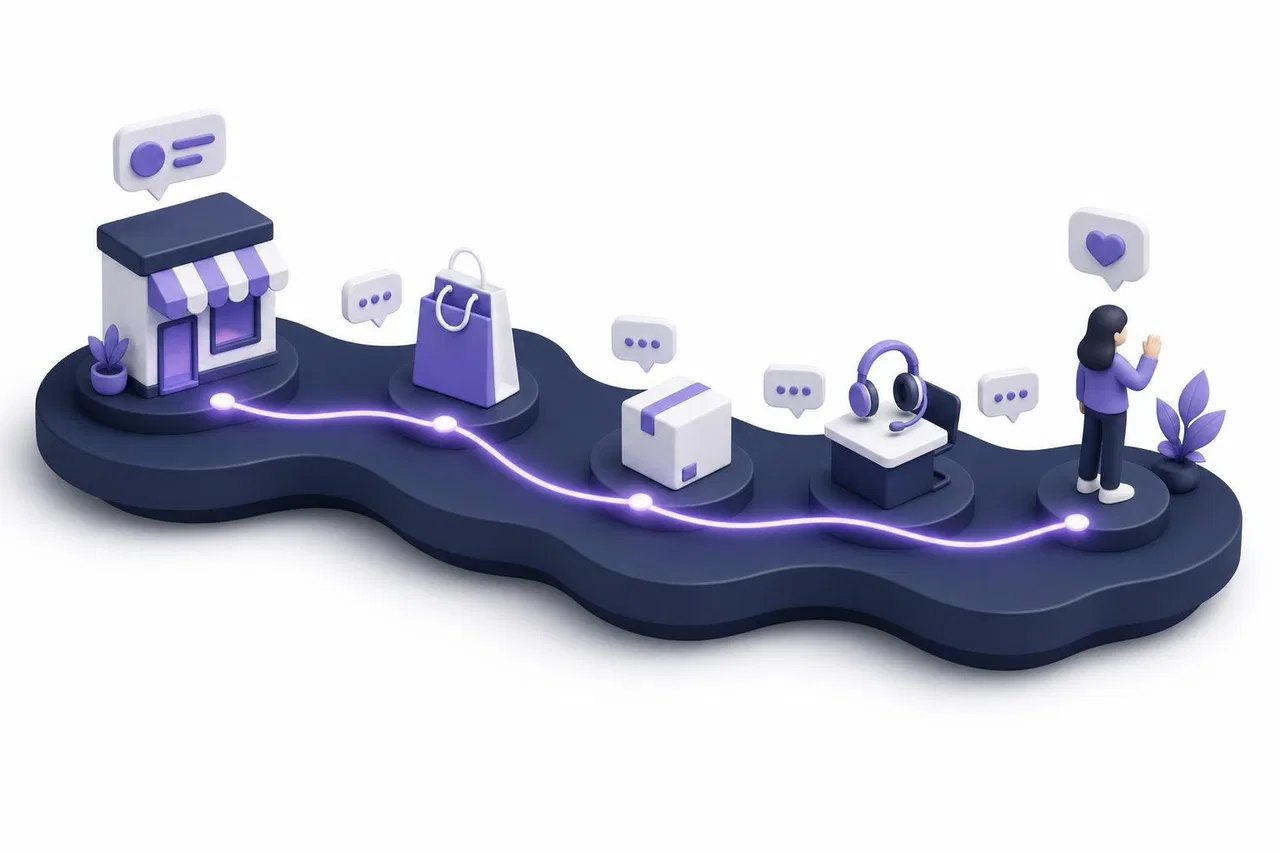
The scenario map
Stage | Typical scenario | Who starts it | Context the responder needs | Good outcome |
|---|---|---|---|---|
Discovery | "Is this in stock? Do you ship to my city?" | Customer, on the website | Product page, stock, delivery terms | Answer within minutes, question captured as a lead |
Consideration | Comparing plans, asking for a quote | Customer, website or messenger | Price list, discounts, previous questions | Accurate quote, hand-off to sales if needed |
Purchase | Payment problem, order confirmation | Customer or your system | Order data, payment status | Problem fixed in the same conversation |
Onboarding / delivery | "Where is my order?" "How do I set this up?" | Customer | Order status, instructions | One answer, no channel switch |
Support | Defect, return, account issue | Customer | Full history, previous requests | Resolved on first contact, or clear next step |
Retention | Feedback after a request, reminder after silence | Your team or a rule | What was resolved, when | One relevant message, not a sequence |
Return visit | Customer comes back to the site weeks later | Customer | Last conversation, last purchase | Recognized, not treated as a stranger |
How to build your own map in an afternoon
List the last 50 customer conversations from every channel you use — website chat, WhatsApp, Instagram Direct, email, phone notes.
Tag each one with a stage from the table above. Most small businesses find that two or three scenarios cover more than half of the volume.
For each frequent scenario, write which context the responder needed and where it was stored. Every "I had to ask a colleague" or "I had to open another tool" is a gap.
Decide who owns each scenario: sales, support, or an AI assistant with a hand-off rule.
Mark which scenarios your business should start proactively, and which should only ever be a reply. Keep the proactive list short.
Only then look at platforms, and test them against your top three scenarios.
This exercise also tells you which channels matter. If almost nobody writes through Instagram, connecting it first is not the priority. The guide to omnichannel messaging goes deeper into choosing and joining channels.
Metrics worth tracking
Engagement metrics are easy to inflate: more messages sent always looks like more engagement. Track numbers that show whether customers got what they needed, at each stage.

Metric | What it tells you | Stage | Watch out for |
|---|---|---|---|
First reply time | How long a customer waits for a person | All | An AI reply is not a human first reply — track both |
Resolution rate on first contact | Whether the first conversation solved it | Support | Closing too fast to improve the number |
Repeat-contact rate | How often the same customer writes again about the same issue | Support | Needs one customer history across channels |
Inquiry-to-purchase conversion | Share of pre-sale conversations that end in an order | Discovery, consideration | Attribution is rough; compare periods, not absolutes |
Hand-off rate from AI to people | Share of AI conversations that need a person | All | Too low can mean the AI is guessing |
Reply rate to proactive messages | Whether follow-ups are welcome | Retention | Low reply plus opt-outs means you send too much |
Funnel drop-off | Where visitors leave between key pages or events | Discovery, purchase | Consent rules affect how visitors are counted |
Messaging cost per resolved conversation | What your channel mix actually costs | All | WhatsApp templates and service messages are billed by Meta |
Pick four or five, set a baseline for one month, and review them monthly. A platform that cannot produce a number you need is not automatically wrong — sometimes a spreadsheet export once a month is enough for a small team.
How to choose a digital customer engagement platform
Treat the decision as a test, not a feature count. Here is a checklist that maps to the scenarios above:
One history per customer across channels. Open a customer who wrote on the website and later on WhatsApp. Do you see one story or two?
Context at the point of reply. Can the person answering see the page the customer wrote from, previous requests and internal notes?
Routing and ownership. Can you route by channel and department, and limit who sees which channel?
AI with sources and a hand-off. Does the assistant answer from your own materials, show what it used, and stop when a person takes over?
Proactive messages with restraint. Are triggers based on real events (a request closed, a customer silent, an order shipped), with frequency limits?
Messaging channel rules. Does it handle WhatsApp's 24-hour window and approved templates, and show you when a reply cannot be sent?
Consent and data handling. Can analytics wait for consent? Where is personal data stored, and what goes to an AI model?
Pricing shape. Seat-based, usage-based or both? Count the people who reply, the AI usage and third-party channel fees separately.
API and integrations. Can your shop, booking system or CRM send events in and read data out?
A test scenario to run during a trial
Send a pre-sale question from your website as a guest, from the product page of a real item.
Answer it as a salesperson and leave an internal note.
Write again from WhatsApp or another messenger as the same customer a day later.
Have a support colleague take the second request. Check what they see without asking anyone.
Close the request and see what follow-up, if any, the customer receives.
Count the clicks and tools needed. Repeat the same steps in every platform on your shortlist.
How Sensever helps
Sensever is a messenger with business sections, and the part that does engagement work is Requests: the project team's shared queue for customer conversations. Here is what it covers today and where it stops.

Conversations in one place. A project receives requests from the website widget, the contact page and connected messengers: WhatsApp (through Meta's Cloud API), Instagram Direct, Telegram and MAX. The agent replies from Requests, and the answer goes back to the customer in the same messenger. Setup is described in Project messaging channels.
Context while answering. In a website request, the info panel shows "Visitor and page history": the page of the first message, later navigation on the site and the approximate country. Internal notes in the request header are visible to the team, not the customer. Details: Customer support: requests, team and routing.
Ownership. Routing can be manual, least busy or round robin, with departments such as "Sales" and "Tech support", first-reply SLA settings and per-agent limits. "Channel access" decides who on the team sees requests from each channel — for example, sales handle Instagram while support handles the widget (Channel access).
An AI assistant that hands off. The project's assistant answers from knowledge base channels, your files and tables, and read-only data connectors to your own API (for example, an order status). When it has nothing to answer from, it says so and passes the request to the team; when an agent takes the request, the assistant pauses in it. A "Test chat" shows the sources behind each answer before you turn it on. Each channel has its own "AI answers in this channel" switch. See Project AI assistant.
Site behavior next to the conversation. The widget code also works as an analytics pixel. "Web analytics" shows people, visits, pages, sources and funnels of 2 to 8 steps built from page visits or your own events sent with SenseverWidget.track() or from your server. It can wait for consent and count visitors without cookies until then, and it keeps names, emails and phones out of analytics (Web analytics).
Event-based follow-ups, not campaigns. "Auto-messages" in a project send a message by a rule: "Visitor on the site" (a bubble by page, time and visitor rules), "Event on the site", "Event from your system" (for example, an order paid), "Visitor came back", "Request closed" (for example, to ask for a rating) and "Customer hasn't replied" (a reminder into the same request after N hours). In WhatsApp, after the 24-hour window an agent can send an approved message template from the request (WhatsApp in a project).
Records and pipeline. Flow, the section for tasks and work objects, has a CRM template with companies, contacts, deals and activities and a deal pipeline (Flow introduction).
What Sensever does not do. There is no email marketing or bulk campaign tool, no audience segmentation for broadcasts, and no built-in satisfaction survey module beyond the message you write yourself in an auto-message. If newsletters are central to your engagement plan, you will need a separate tool for them; CRM and marketing discusses how to connect campaigns with conversations.
Pricing. According to the Sensever pricing, the project owner is not charged; each additional project member who answers customers costs $9 per month; the AI assistant costs $19 per million tokens (with a $5 monthly minimum per project in months the AI is used); storage above 5 GB costs $0.04 per GB per month; Flow is $5 per additional member per month. WhatsApp message fees are billed by Meta under its own rates.
FAQ
What is the difference between a customer engagement platform and a CRM?
A CRM stores records — contacts, companies, deals, orders. An engagement platform runs the conversations around those records and the follow-ups after them. Many businesses use both; the important part is that the conversation history is not trapped in one tool while the record lives in another.
Do small businesses need a customer engagement platform?
They need the outcome — one history per customer and clear ownership — more than the label. If you answer customers in more than one channel or with more than one person, a shared inbox with customer context usually pays off before any campaign tool does.
Which channels should we connect first?
The ones your customers already use. Count the last month's conversations by channel and connect the top two. Adding a channel nobody writes through only adds a queue to watch.
How do WhatsApp pricing changes affect engagement?
Meta charges per delivered template message by category and country, and from October 1, 2026 it charges service messages again beyond 1,000 free per month per business number. Replies within the 24-hour window are the cheapest way to talk; plan proactive WhatsApp messages carefully.
Can AI replace human follow-up?
AI can answer routine questions from your materials and look up live data such as an order status. It should hand off when it has no source, when the customer asks for a person, or when the conversation needs judgment. Track the hand-off rate and read a sample of AI conversations every week.
What should we measure first?
First reply time for people, resolution on first contact and repeat-contact rate. They show whether customers get help without repeating themselves — the core promise of connected engagement.
Conclusion
A digital customer engagement platform earns its place when the next person — or assistant — who answers already knows the customer. Start with a scenario map of your real conversations, connect the two or three channels that matter, set ownership and hand-off rules, and add proactive messages only where a real event justifies them. Measure a handful of outcome metrics, not message volume. Then test any platform, including Sensever, against your own top scenarios before you commit.
Commentaires